Pending Balances
When using ZEUS, you may notice balances with a clock icon (⏰) indicating they are pending. This means funds have been initiated but are not yet fully confirmed or settled.
Finding Pending Balances
Pending balances appear on the home screen with a clock icon (⏰) next to the amount. Tap the clock icon to see details about why the balance is pending.
You can also check pending status in:
- Channels view: Check the "Pending" tab to see channels waiting for confirmations (LND only)
- Transaction log: View detailed information about pending transactions
On-Chain Pending Balances
On-chain pending balances occur when:
- A Bitcoin transaction has been broadcast but not yet confirmed in a block
- Funds are in the mempool waiting for confirmation
- A channel is being opened or closed and the funding or closure transaction is pending
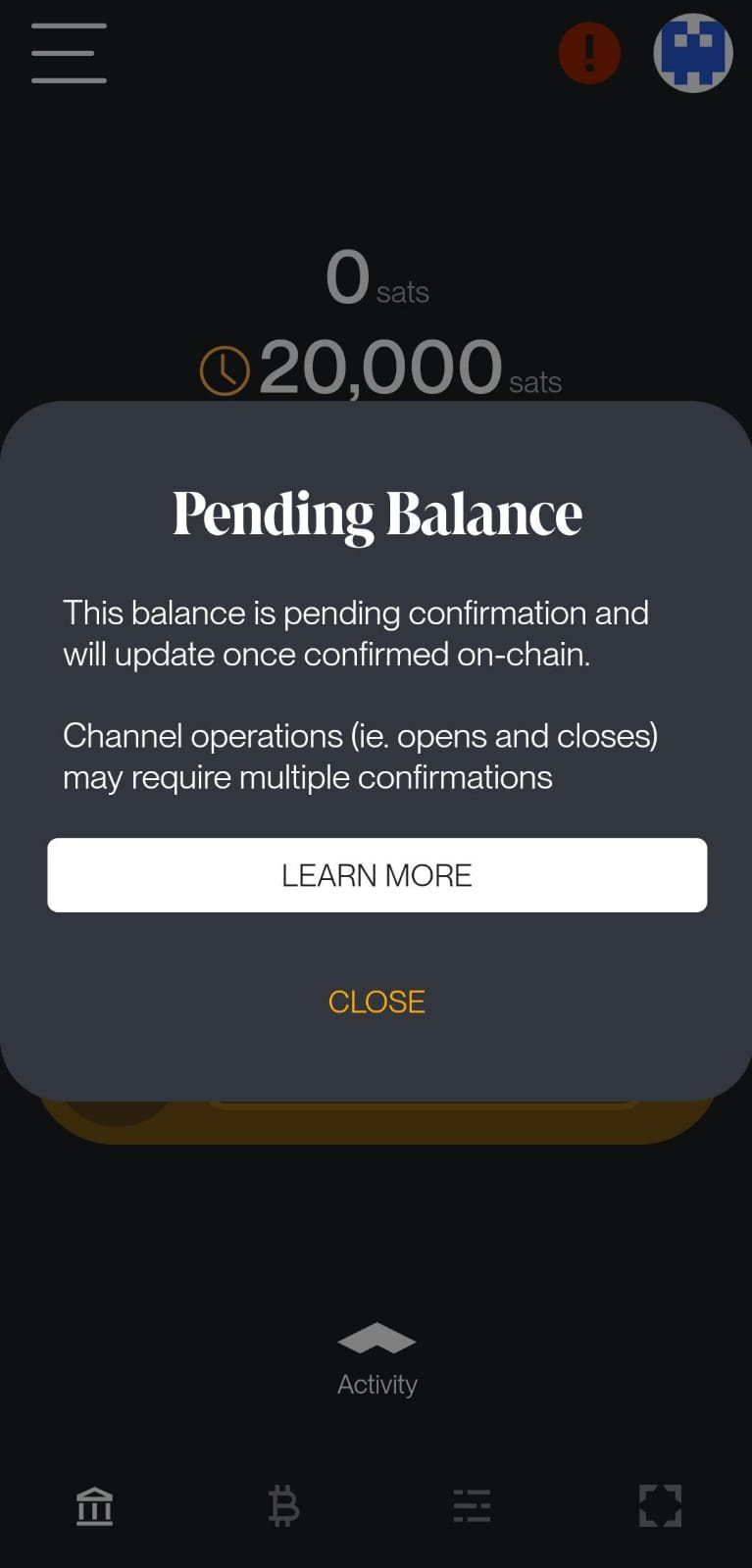
When you tap the clock icon, you'll see: "This balance is pending confirmation and will update once confirmed on-chain." For channel operations, you may also see: "Channel operations (ie. opens and closes) may require multiple confirmations".
Confirmation Times
- First confirmation: Usually within 10-20 minutes (depends on network traffic and fees)
- Channel operations: Require 6-8 confirmations (approximately 1-1.5 hours) before the channel is fully operational or closed
Your on-chain balance updates once the transaction receives its first confirmation. For channel operations, the channel won't be usable (for opens) or funds won't be available (for closes) until the required confirmations are reached.
Lightning Pending Balances
Lightning pending balances occur when:
- A channel is opening (waiting for on-chain confirmations)
- A channel closure is in progress
- A payment is in transit through the Lightning Network
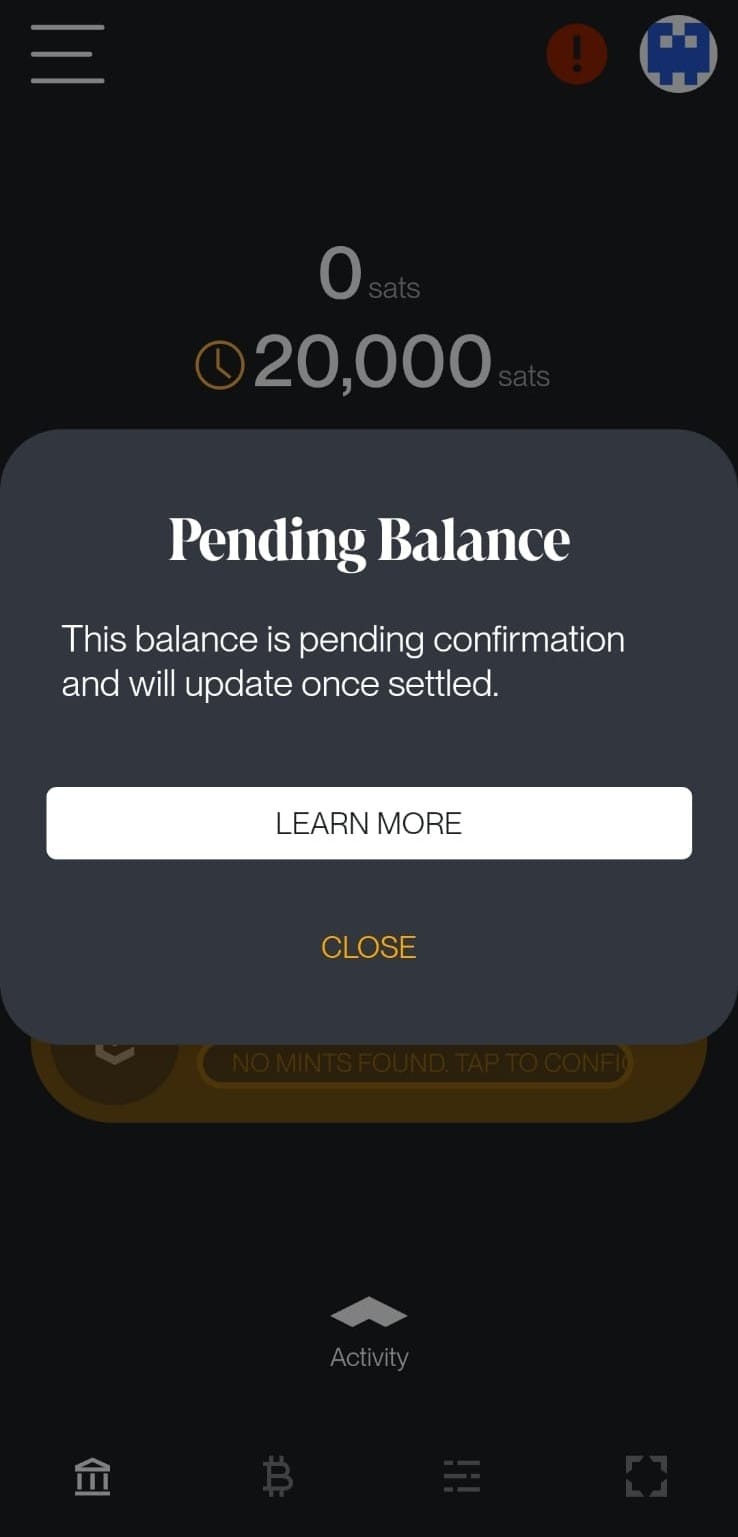
When you tap the clock icon, you'll see: "This balance is pending confirmation and will update once settled."
Settlement Times
- Channel opens: 1-1.5 hours (6-8 confirmations)
- Mutually closed channels: Return to on-chain balance once confirmed (usually 10-20 minutes)
- Force closed channels: Can take up to 2 weeks depending on the channel's CSV delay settings
- Lightning payments: Usually settle instantly once routed
Your Lightning balance becomes available once the channel has received the required confirmations. Funds from channel closes appear in your on-chain balance after the closure transaction confirms.
Cashu Pending Balances
Cashu pending balances occur when:
- You've sent Cashu tokens that haven't been redeemed by the recipient yet
- Tokens are waiting to be claimed
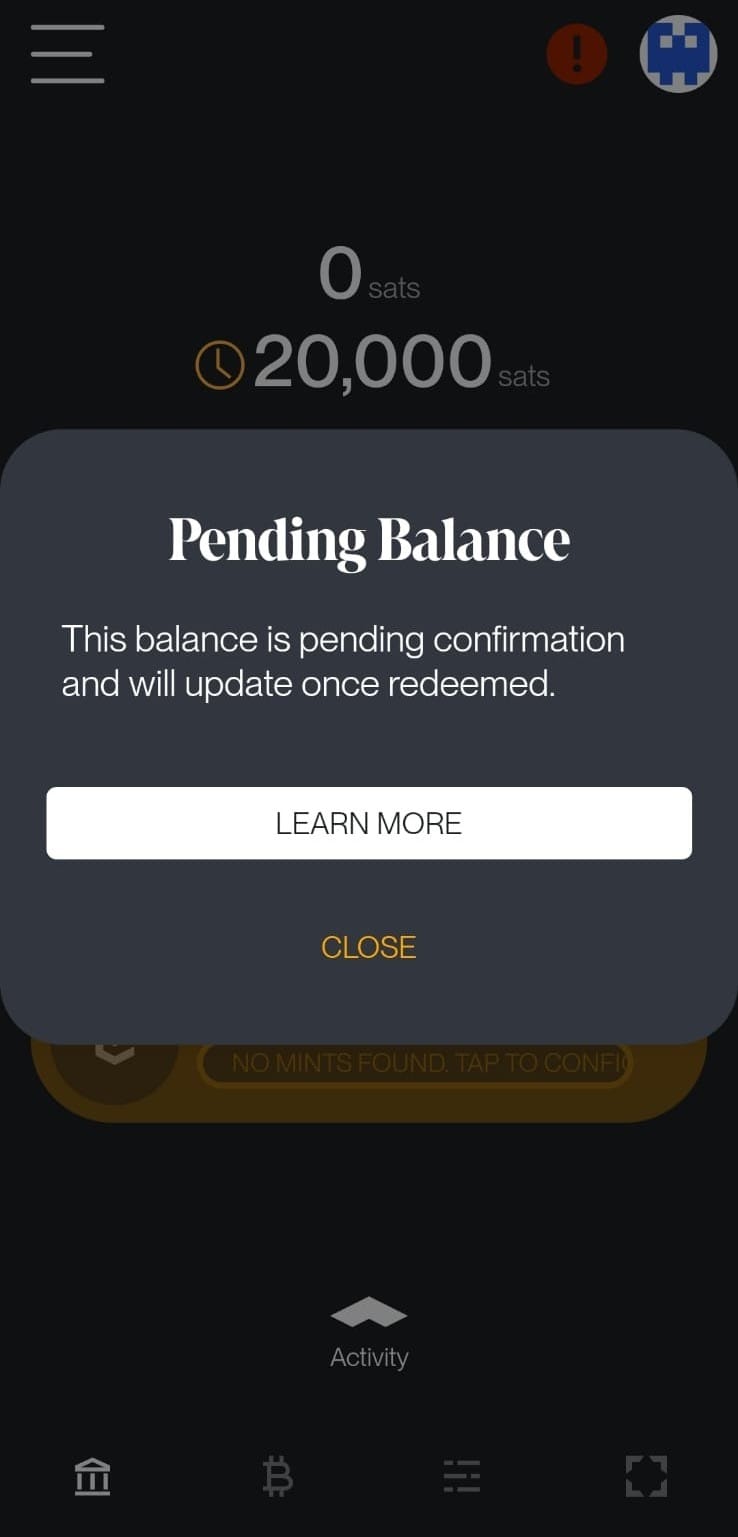
When you tap the clock icon, you'll see: "This balance is pending confirmation and will update once redeemed."
Redemption Times
- Token redemption: Depends on when the recipient claims the tokens
- No blockchain confirmations required: Cashu tokens settle instantly once redeemed
Your Cashu balance updates once the recipient redeems the tokens you sent. Until then, tokens remain in a "pending" state.
Tips
- Set appropriate fees: Higher fees result in faster confirmations. Check current fee rates on Mempool.space
- Speed up transactions: If your transaction is stuck, you can increase the fee using the Speed Up Transaction tool under
Menu>Tools - Monitor channel status: Check the Channels view to see pending channel operations
- Plan ahead: Channel opens require waiting for confirmations, so plan operations in advance